
What actually happens to your home inspection report after closing
Most home inspection reports are opened twice, then forgotten. What's in yours, why it dies in your inbox, and what to do with it tonight.
Most home inspection reports get opened once or twice then sit in your email as a PDF thereafter. The first open is the week the report arrives, which you primarily use to decide whether or not to buy a house and what repairs are needed. Then it likely sits in your email inbox (unread) for as long as you own the home.
That report is the most complete document that will ever exist about your house. I run the homeowner platform at the largest home inspection company in the United States, and I can tell you that almost everyone does the above.
I know because I did it too.
The whiteboard in my utility room
Eight years ago I built a home in Indiana. I'd lived in apartments and condos before that, so I moved into a full house in a new state with no experience maintaining a stand alone house and didn’t know what to do. One of the first things I did was hang a whiteboard in my utility room. The plan was simple. Every time I changed the furnace filter or added salt to the water softener, I'd write it on the board to keep track of dates. And over time, I’d add additional maintenance items so I wouldn’t have to remember them.
I stopped using it almost immediately after I wrote the first items. My kids use it for their artwork now.
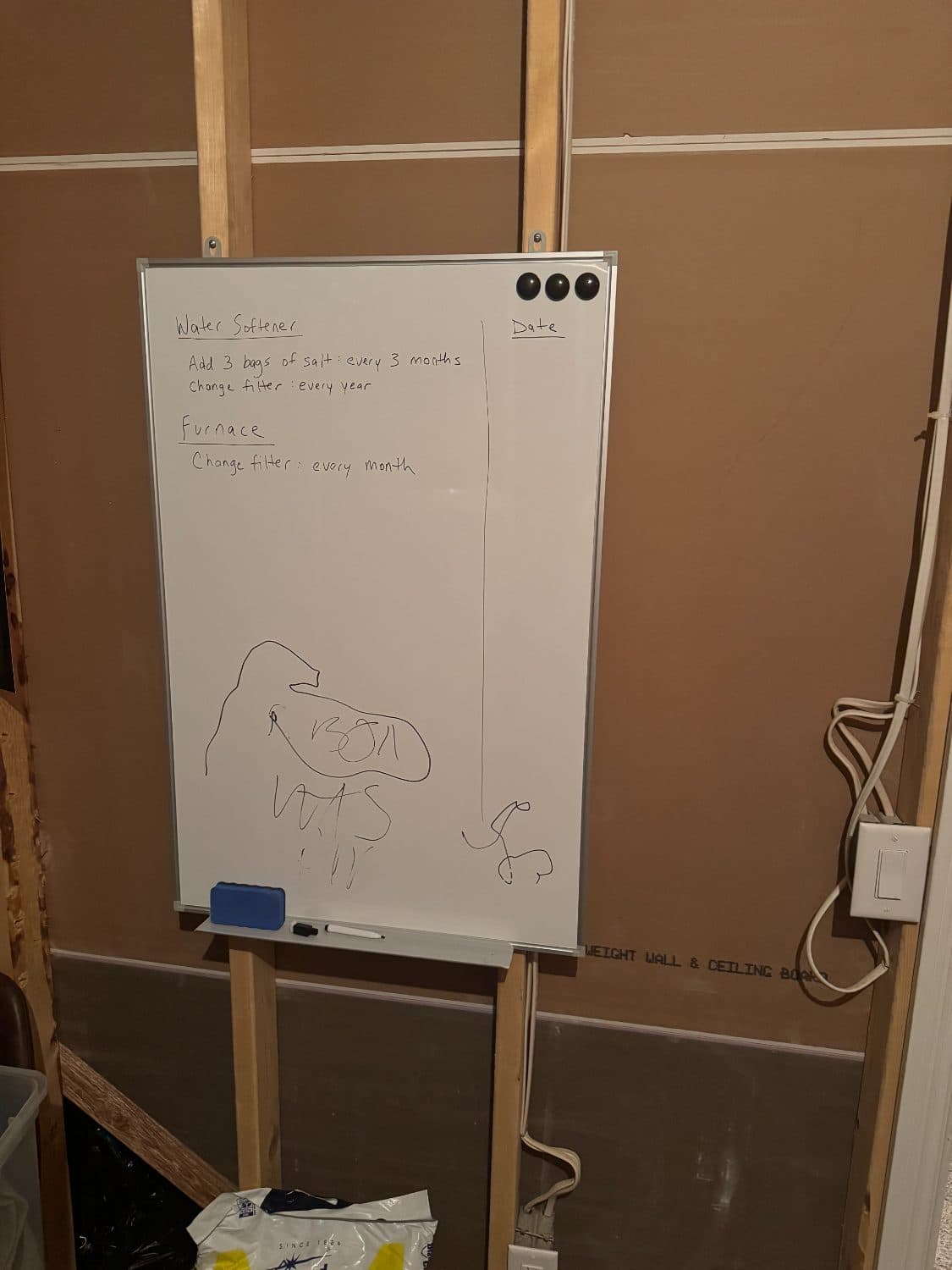
I was the Chief Strategy Officer at Angi in my former role, a billion dollar revenue company that connects homeowners with contractors, and my system for my own house was a white board that lasted two weeks. Nobody is immune from this. A home is the largest purchase most people ever make, and homeowner research, including Angi's own, keeps finding that maintaining one is among the most stressful things people do.
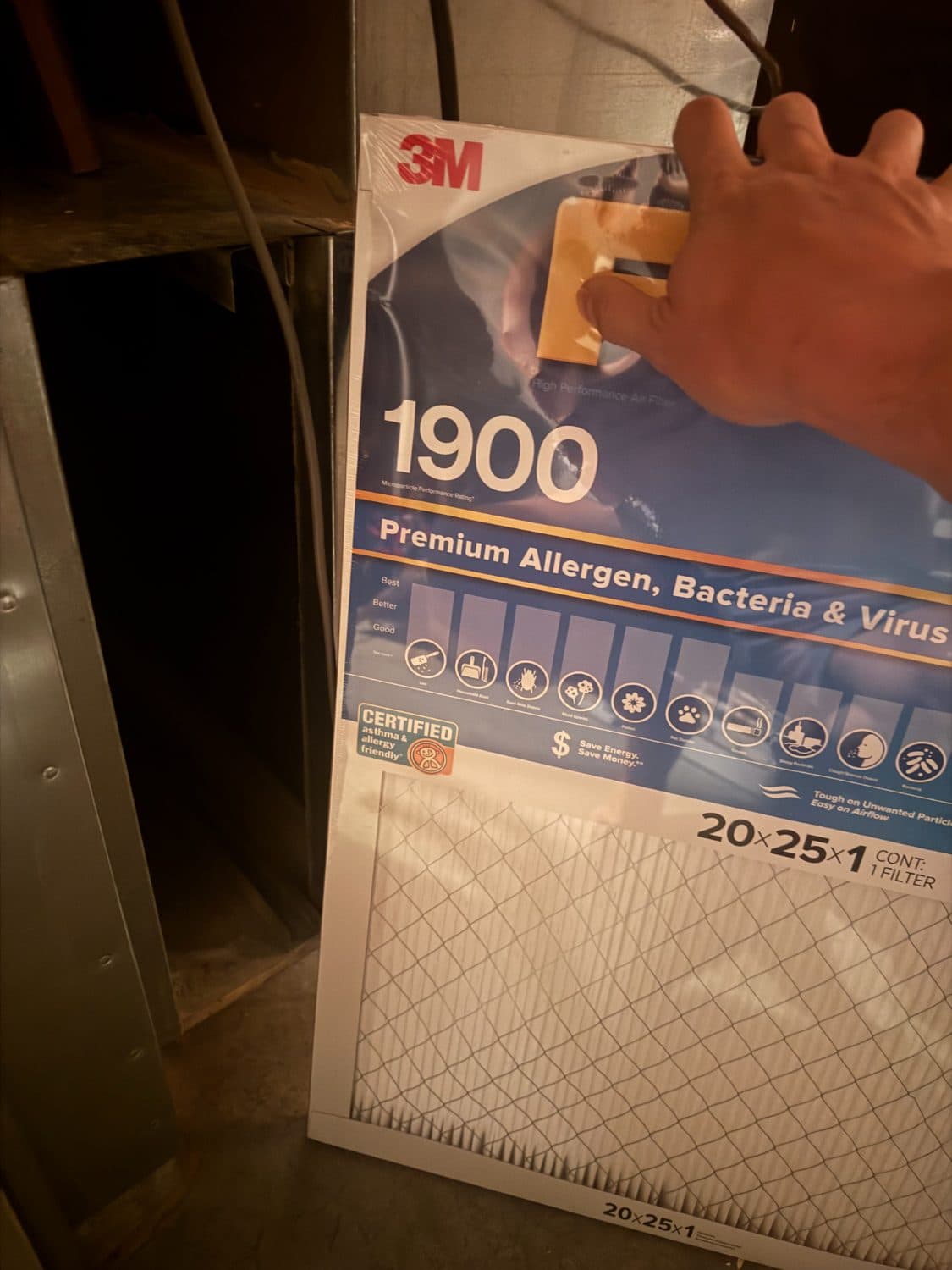
Even today I'm not rigorous about it. The board says to change the furnace filter every month. In practice, sometimes one month passes between changes. Sometimes three. After eight years I finally know the filter by heart, a 20x25x1 purple allergen filter, because my son has allergies. That knowledge took eight years to earn. A push notification on the right schedule would have cost me nothing.
What your house knows that you don't
The whiteboard was the small failure. The bigger ones came at 2 a.m.
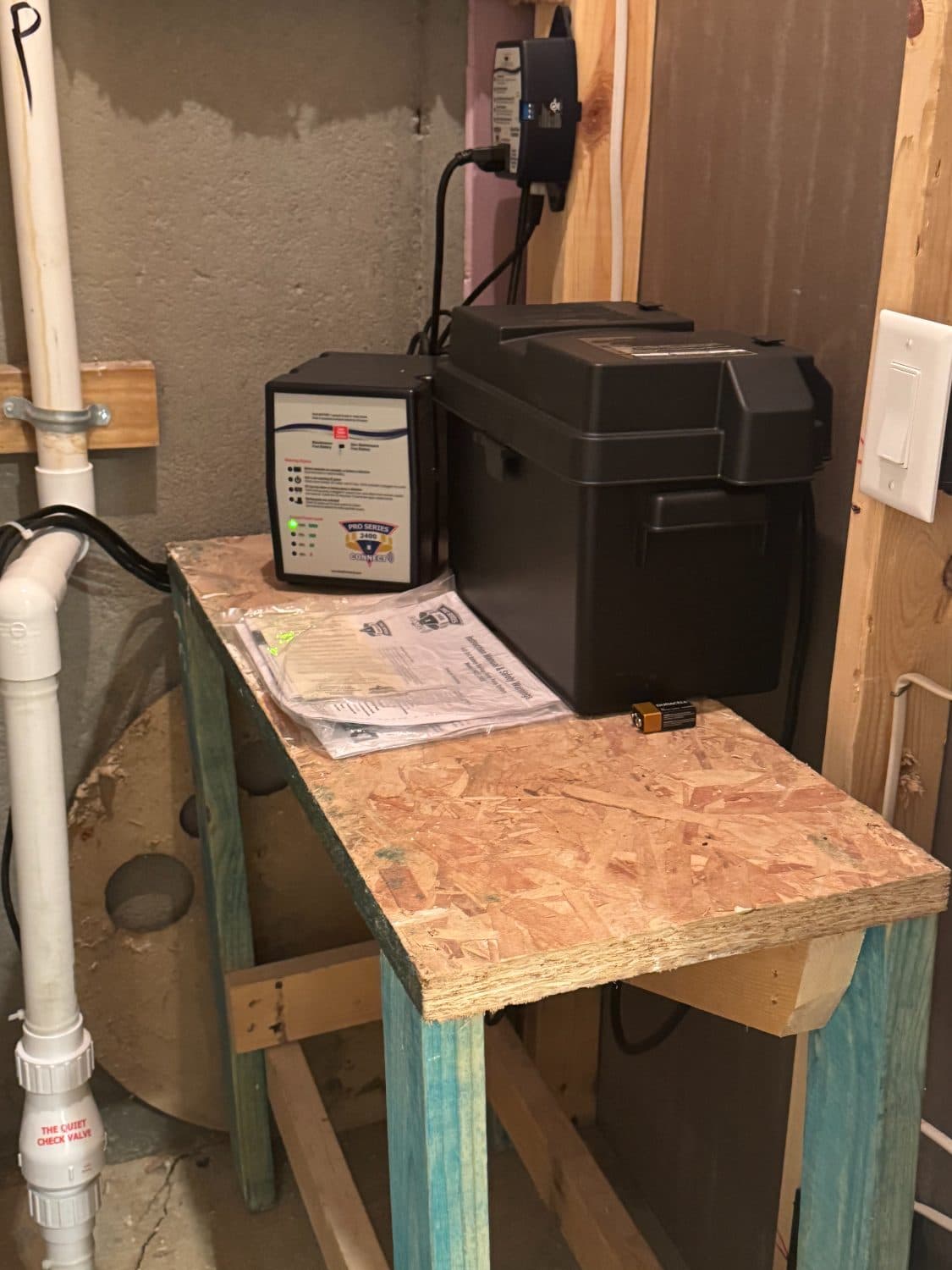
One night I woke to a loud beeping from the sump pump area and had no idea why. It took me about two hours of searching online to learn that my sump pump had a backup system with a battery, and that the battery needed water added to it every year or so. Nobody had told me it existed, or if they did I had forgotten.
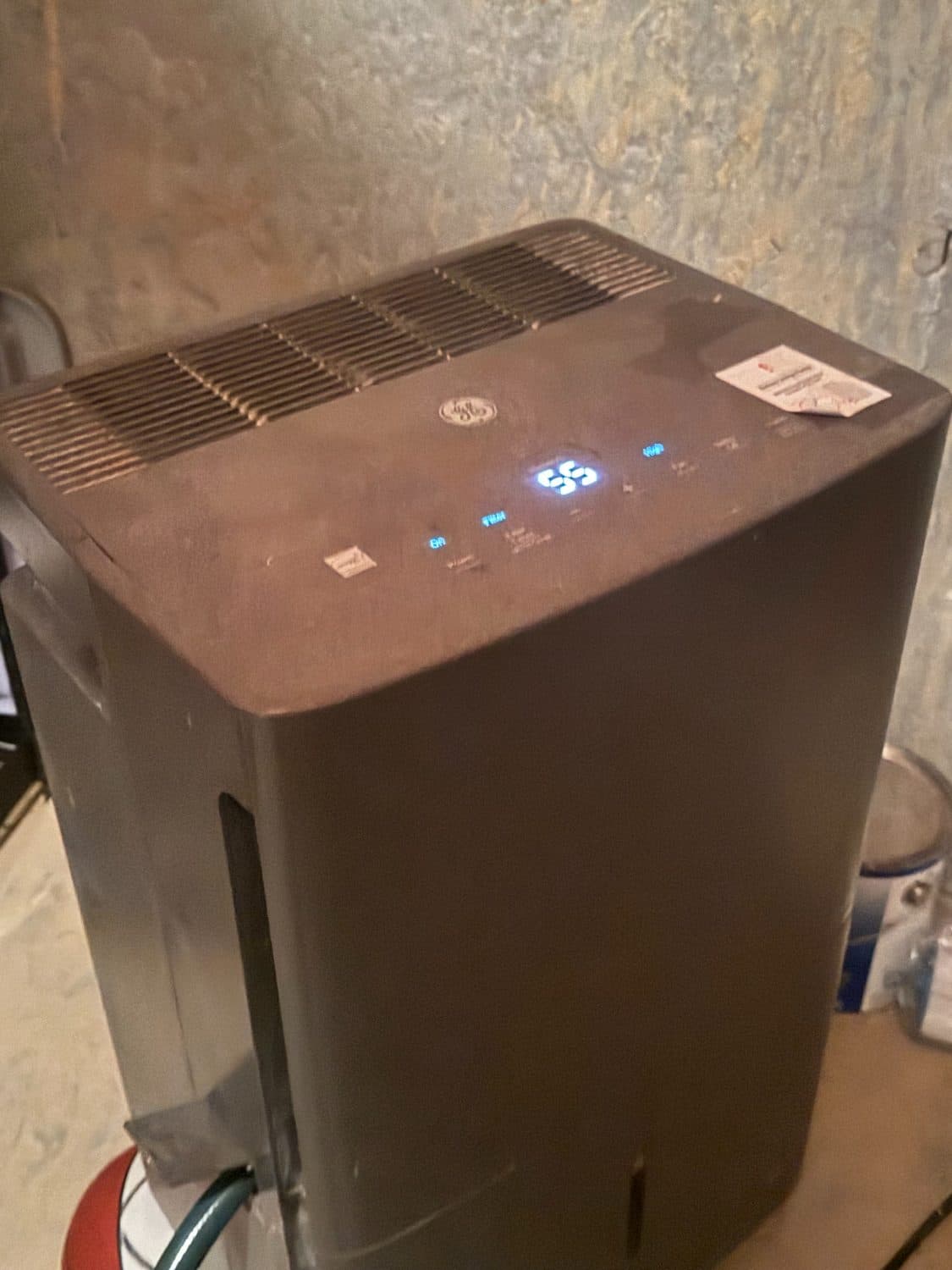
My basement dehumidifiers taught me the same lesson in a different way. Indiana basements get humid in the summer, so I bought two freestanding units and ran them around the clock on maximum. Then I noticed their water buckets were nearly empty after running them for days. After a lot of digging I found out those dehumidifiers had filters, and the filters were so coated in lint and debris that air couldn't pass through them. I was running two expensive drains on my electricity bill that did nothing. I pulled the filters, cleaned them, put them back, and the units worked again.
The water softener has caught me twice in eight years. I dump six months of salt in at a time, which mostly works, but twice I've let it run completely empty and lived with hard water until I noticed. Let that kind of thing go unnoticed long enough and it shows up as deposit buildup, and in the water you shower or bathe in. There's also a filter on our water system I didn't know needed replacing, a humidifier that comes on in winter, a sprinkler system that needs a professional blowout every fall, and a backflow test that has to be reported to the utility. I didn't know about any of it before moving in, and no one told me.
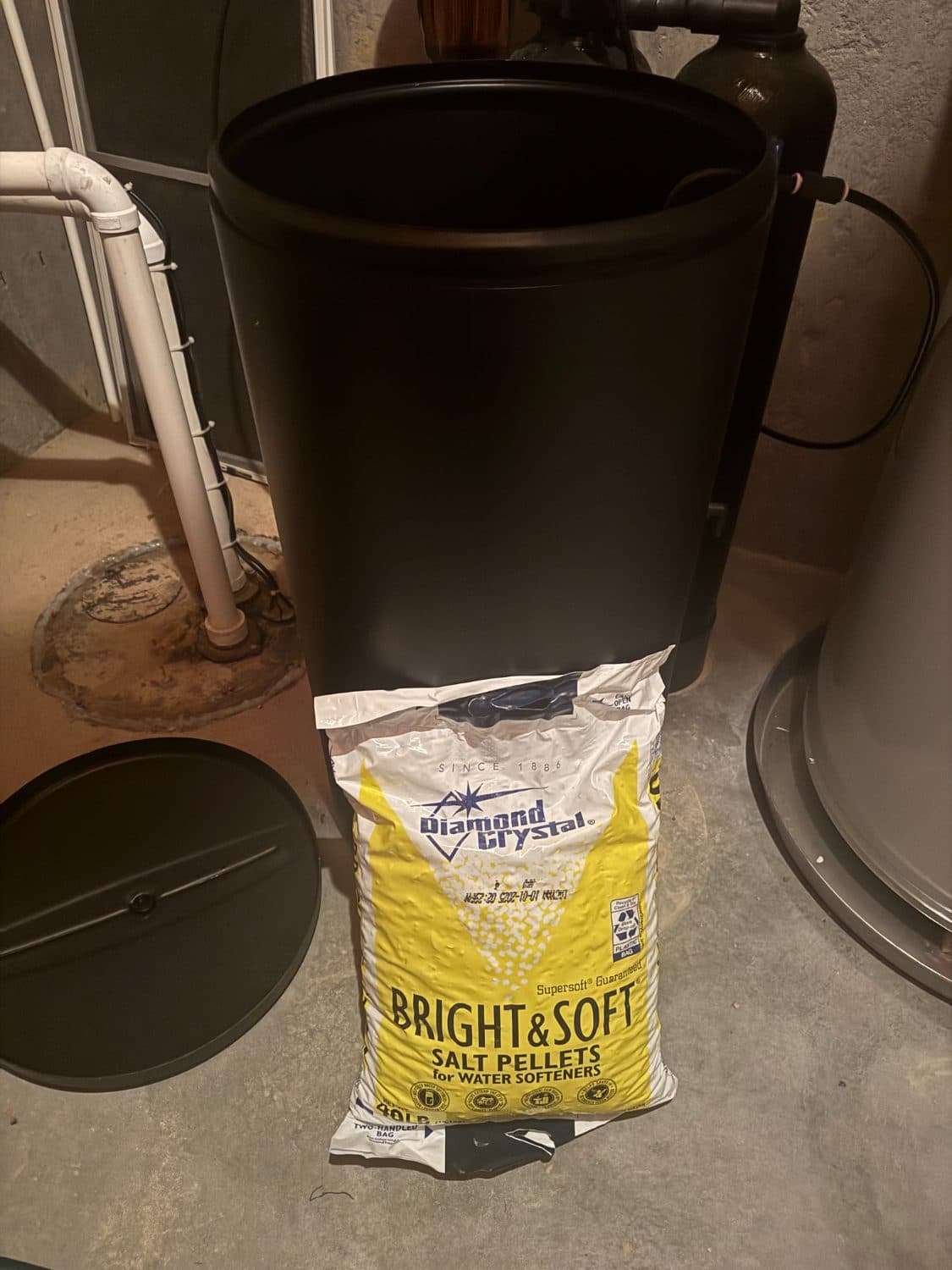
If you own a house with these systems, here's the calendar nobody hands you at closing:
| When | Task | What skipping it cost me |
|---|---|---|
| Every 1 to 3 months | Replace the furnace filter | Cost of skipping it: Eight years to memorize a filter size |
| Every few months | Refill water softener salt | Cost of skipping it: Ran dry twice; hard water and buildup |
| Summer | Clean dehumidifier filters | Cost of skipping it: Two units running 24/7 doing nothing |
| Fall | Professional sprinkler blowout, file the backflow test with the utility | Cost of skipping it: Didn't know either existed |
| Winter | Turn on the humidifier, adjust settings by season | Cost of skipping it: Nobody told me |
| Yearly | Check the sump pump backup battery, add water | Cost of skipping it: A very loud 2 AM lesson |
Here's what makes those stories worse. Most of what's in that table, the equipment, the model numbers, the systems I didn't know I had, was already documented with photos in a report like the one I got at closing. I owned the answers the whole time. I just never went back to them.
What's actually in a home inspection report?
A home inspection report is a system by system inventory of a house at the moment you bought it: foundation, roof, electrical, plumbing, HVAC, and appliances, documented with photos, model and serial numbers, approximate ages, condition notes, and a list of defects found on inspection day.
If you haven't opened yours in a while, that's what's sitting in it. For the major equipment it typically records the make and model, where it sits in the house, and how it was performing. The defects section lists what was wrong when you bought, including the things you asked to be fixed and the things you decided you could live with.
Look at that vs. some of the issues I’ve had above (which is not exhaustive). The sump pump and its backup system, the dehumidifiers, the water system and its filter, the furnace and the filter size I couldn't remember standing in a store aisle. A report documents exactly this, on day one, before you've unpacked a box.
Where does your inspection report go after closing?
For most homeowners, nowhere. The report is delivered as a PDF to your email, used once to negotiate the purchase, and the last time it's opened is very close to the first time it's opened. There is no handoff into the years you actually own the house.
An inspector goes through the home with a long series of checkboxes, evaluating whether the foundation, roof, and systems are in good working order. Sometimes the notes are handwritten, sometimes typed. The output is a PDF, and that PDF gets sent to your email. You and your realtor use it for one job: deciding whether to buy the home and what repairs or credits to ask for.
Any repairs that got flagged either have to be remembered by you or, if you're lucky, get taken care of because you went back to the report after closing. Most people never do. The single most complete record of the house dies in the inbox the week you get the keys.
Why do home maintenance apps fail?
Home maintenance apps fail because they require a lot of input from homeowners before they can be helpful. Adoption in the US is incredibly low for one very simple reason: the homeowner has to answer thirty questions about square footage, equipment, and systems before the app is useful. That's the same data entry my whiteboard demanded, just on a screen, and it dies the same two week death.
I saw the other side of this at Angi. Angi typically handles one to three projects for a given homeowner per year, but a homeowner typically does around a dozen, and that doesn't count the maintenance items people handle themselves. The other nine or ten projects mostly run on word of mouth, a neighbor or family member recommending a contractor, and that likely won't go away. Angi is a great resource for matching a well defined project to vetted, licensed contractors. What it never had is the context to help pervasively across the whole home, because it only ever sees one project at one point in time.
An inspection sees everything, once, all at the same time. That's the difference.
If you want to see how the apps in this category actually stack up on that point, we compared nine of them, including ours: the best free home maintenance apps in 2026, ranked on what their free tiers really do.
Can't I just ask ChatGPT, Claude or Gemini about my house?
You can, and it will give you good general advice. But generic AI tools know homes in general, not your home. They're only as good as the context you give them, and the context that matters here is your model numbers, your filter sizes, the age of your systems, your utility's backflow rule. I use ChatGPT, Claude, and Gemini every day, and none of them knows what size filter my furnace takes.
When my ovens failed recently, I had to physically take out a tape measure and confirm the cutout before I could order replacements, because I had no record of what would fit. With EverHome I can ask for ovens at a specific store that fit my existing space, because the model and serial numbers come standard from the inspection and the exact dimensions get looked up from there. A general LLM (or AI tool) can tell you how to measure an oven opening. It can't immediately tell you the dimension of yours.
What EverHome does with your report instead
EverHome turns an inspection report into a living record of your home. If a LaunchPad company inspected your home, your record starts from that. If not, you upload one PDF report and we pull the information out of it. That's the setup, three clicks, not thirty questions, because the data entry already happened the day your home was inspected. Behind it sits more than three million verified inspections across LaunchPad's twenty four brands, the history that taught us what a report can become.
From there the report stops being a document and becomes a record you can chat with. Standing in the filter aisle, I can ask for my furnace filter size instead of scrolling through my photos hoping I once took a picture of it. Notifications are customizable, so the app reminds you about the things you want and stays quiet about the things you don't. And the record stays honest as the house changes: complete a project through EverHome and the contractor's information syncs to your record automatically, or just snap a photo or edit a field when the roof gets redone.
There's also a design tool, free with unlimited use, that surfaces materials and furnishings you can actually purchase, and renders your rooms with walls that keep their shape and doors and windows that stay put. If you've tried designing a room with a general purpose AI, you know why that matters.
EverHome will also help with the decisions around the house, not just the systems in it: when it makes sense to refinance, whether a home warranty is worth it, whether appealing your property taxes is a good idea, each paired with vetted providers we've partnered with. I personally have evaluated each partner.
How is it free?
Free means free. We don't charge fees to homeowners, though many of our competitors do. EverHome makes money by connecting homeowners with third parties they approve in advance. And plenty of what's in the product makes us nothing at all: we pay for the data behind home value tracking, school ratings, and nearby sales, and we publish free expert articles, because the first mission is solving homeowner problems. If that sentence is ever just a slogan, the free stuff is how you'd catch us.
Whose report is it?
Yours. The home inspection report is delivered purely for the homeowner, and you can do with it what you want. If you don't want to use EverHome, your report isn't delivered to anyone else. Each home record is specific to that home and visible only to its authorized users.
What to do with your old report tonight, even if you never touch EverHome
The fifteen minute version: find the PDF, pull the equipment list out of it, and put the seasonal work on a real calendar. Step by step:
- 1Find itSearch your email for the inspection company's name or "inspection report." Save the PDF somewhere you'll find it again, and name it something you'll recognize in five years.
- 2Read it as an inventoryThe first time, you read it asking if there’s any reason you shouldn’t buy the home you loved. This time, read it asking what your house contains.
- 3Pull out the equipment listModel and serial numbers, ages, and filter sizes for the furnace, water heater, softener, sump pump, and dehumidifier, into one note on your phone. That note is what you'll want standing in a store aisle.
- 4Photograph the data plates the report missedWhile you're in the utility room anyway.
- 5Put the seasonal items on a real calendarSprinkler blowout in the fall, humidifier settings when the seasons change, a yearly check on the sump pump backup battery, softener salt on whatever schedule your usage needs.
- 6List the flagged repairs that never happenedEvery report has a few. Two years later they're still yours.
Common questions
Who owns my home inspection report?
You do. The report is delivered for the homeowner, and the homeowner controls it. With EverHome, your record is visible only to authorized users of your home, and if you choose not to use the product, your report goes nowhere else.
Should I keep my home inspection report after closing?
Yes, permanently. It's the only professional, photographed inventory of your home's systems most people will ever have, and it answers questions you'll be asking for the next decade: what model, what age, what size, what was already wrong.
How long should you keep a home inspection report?
As long as you own the home, and hand it to the next owner when you sell. Its value doesn't expire.
What if my inspection wasn't done by a LaunchPad company?
Upload the PDF. EverHome pulls the information out of any inspection report and builds your record from it.
Does this work for new construction?
Yes. A new build has fewer replacement projects early on but more customization projects, empty rooms being the obvious one, which is exactly what the design tool is for. Either way, every home has to be maintained, and the record works the same way.
How much does EverHome cost the homeowner?
Nothing. Free means free. Revenue comes from third parties that homeowners approve in advance, never from homeowner fees.
If you are choosing where to keep all of this, we compared the field: the best free home maintenance apps in 2026, plus product-specific guides on HomeZada alternatives and Centriq alternatives.
The most useful document your house will ever have already exists. It's sitting in your inbox right now, dated the week you bought the place. Go get it.

Go get it. Then let us do something with it.
Upload the PDF from any inspection company, or start from your address. Free for as long as you own the house.